An Invisible Mouse - Yet Another Pranav's Mistry !


Pranav Mistry, who earlier had made headlines for his invention Sixth Sense and even received Popular Science 2009 Invention Award for it, has now invented yet another similar device and this time its invisible – A mouse and amusingly it costs just 20$ to build its prototype.

An Inivisible Computer Mouse - Yet Another Invention by Pranav 
Mistry

The perpetual changes in computer technology & web has seen many evolutions, right from large room size CPUs to miroprogrammed slim netbooks, heavy bulky monitors to thin LCDs, few MBs capacity hard disks to trillion capacity HDs but in all these what remained nearly unchanged and un-evolved is mouse – moving it around to help us interact computer.
Mouseless is an invisible computer mouse project done in in MIT Fluid Interfaces Group headed by Pranav Mistry, this invisible mouse provides the familiarity of interaction of a physical mouse without actually needing a real hardware mouse, hence removes the requirement of having a physical mouse altogether but still provides the intuitive interaction of a physical mouse that everyone is familiar with.


An Inivisible Computer Mouse - Yet Another Invention by Pranav 
Mistry
Mouseless consists of – (1) an Infrared (IR) laser beam, (2) an Infrared camera and both embedded in the computer itself. The laser beam module is modified with a line cap and placed such that it creates a plane of IR laser just above the surface the computer sits on. The user cups their hand, as if a physical mouse was present underneath, and the laser beam lights up the hand which is in contact with the surface. The IR camera detects those bright IR blobs using computer vision. The change in the position and arrangements of these blobs are interpreted as mouse cursor movement and mouse clicks. As the user moves their hand the cursor on screen moves accordingly. When the user taps their index finger, the size of the blob changes and the camera recognizes the intended mouse click.


However, the possibilities of this mouse is just beyond the capabilities of a modern mouse we use these days as Pranav Mistry stated on its website – As we improve our computer vision algorithms, an extensive library of gestures could be implemented in addition to mouse movement and mouse clicks. Typical multitouch gestures, such as zooming in and out, as well as novel gestures, such as balling one’s fist are all possible. In addition, the use of multiple laser beams would allow for recognition of a wider range of free hand motions, enabling novel gestures that the hardware mouse cannot support

Courtesy: http://www.indianweb2.com/

வீட்டில் புதினா வளர்த்த அனுபவம்

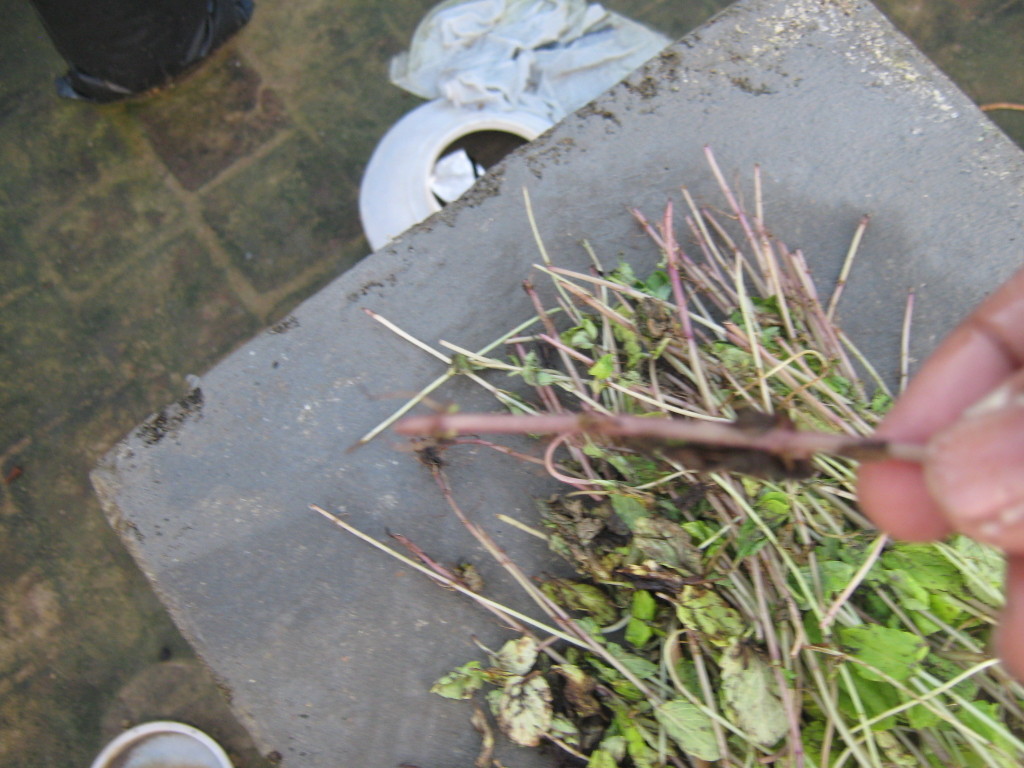
புதினா வீட்டில் வளர்ப்பது எளிது. கடையில் இருந்து வாங்கி வரும் புதினா கட்டிலிருந்து இலையை எடுத்தபின் உள்ள குச்சிகளே போதும்.


இந்த குச்சிகளில் முதிர்ந்தவற்றை தேர்ந்தெடுத்தேன்.


(படம்எடுத்த நாள் 18/11/2009)
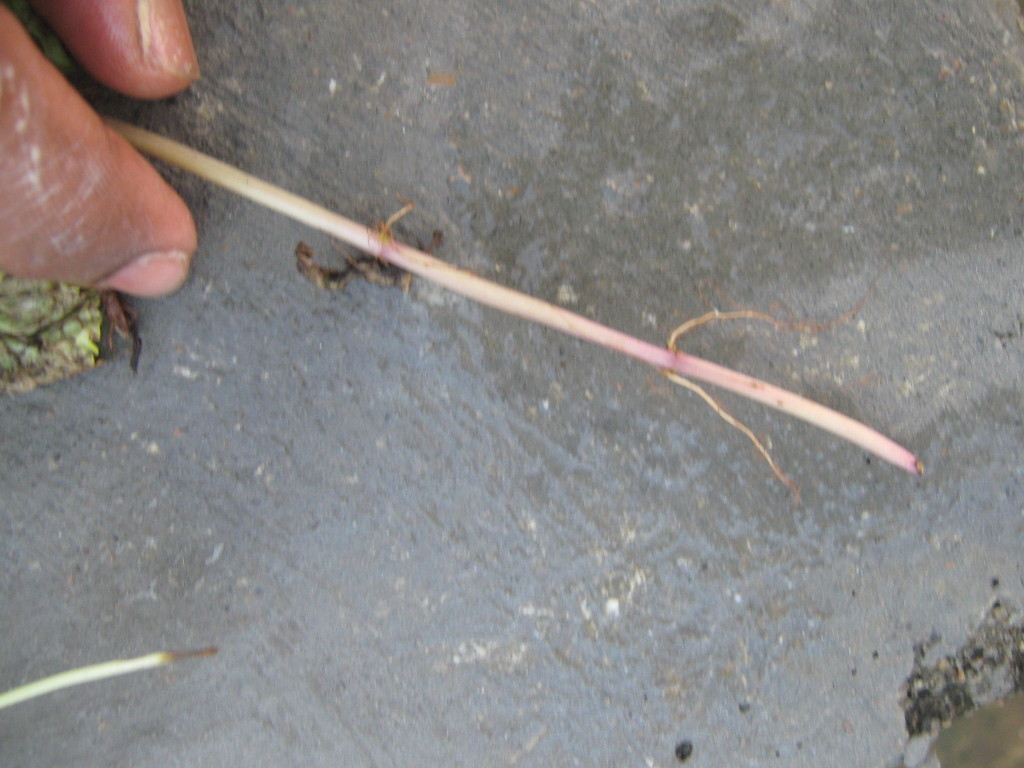
தேர்ந்தெடுத்த குச்சிகளை சுமார் 3 அல்லது 4 செ.மீ ஆழத்தில் நட்டேன்.

பிற செடிகள் போலவே இவற்றையும் பராமரித்தேன்.
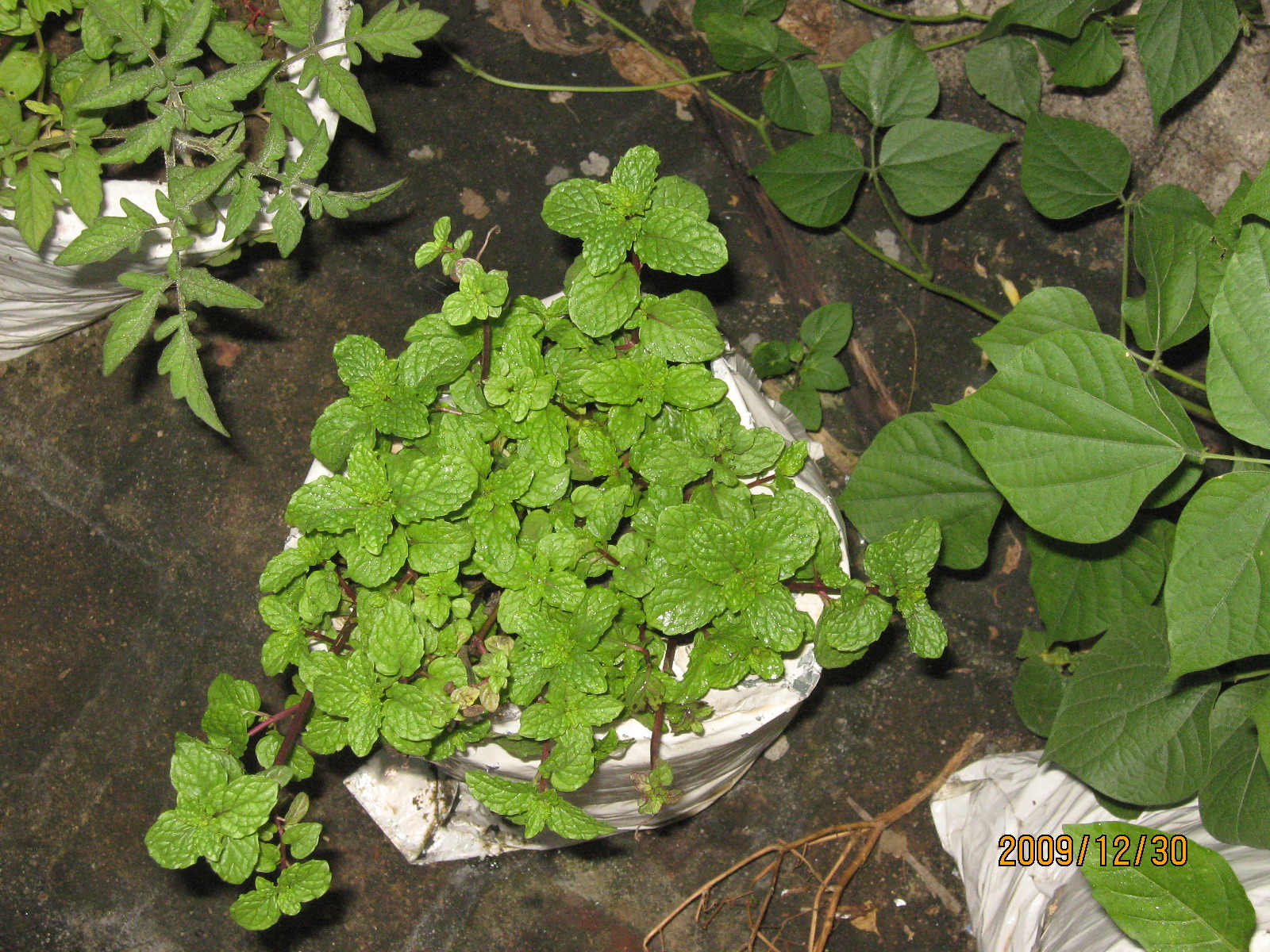
சுமார் 3 வாரங்கள் கழித்து நன்கு வளர்ந்த பின் எடுத்த படம்

சுமார் 25வது நாளில் முதல் முறையாக கீரை கிள்ளினேன். ஆனால் படம் எடுக்க மறந்தேன்.
சுமார் 45வது நாளில் எடுத்த படம் இதோ

பிறகு கிள்ளிய கீரை இதோ

ஆக என் அனுபவத்தில் புதினா வளர்ப்பதின் நன்மைகள்
மிக எளியது
பூச்சி தொல்லைகள் இல்லாதது
கடையில் வாங்குவதைக்காட்டிலும் சுவையானது
கடையில் வாங்குவதைக்காட்டிலும் நறுமணம் அதிகமானது

Google Android Phone Codes


Hello Folks

Surfing the web I found this information. I think is important to know this. Also if another user has more codes... post them here...


FYI These codes have been obtained by decoding various .apk files present in the phone firmware.

*#*#4636#*#*
This code can be used to get some interesting information about your phone and battery. It shows following 4 menus on screen:
  • Phone information
  • Battery information
  • Battery history
  • Usage statistics
*#*#7780#*#*
This code can be used for a factory data reset. It'll remove following things:
  • Google account settings stored in your phone
  • System and application data and settings
  • Downloaded applications
It'll NOT remove:
  • Current system software and bundled applications
  • SD card files e.g. photos, music files, etc.
PS: Once you give this code, you get a prompt screen asking you to click on "Reset phone" button. So you get a chance to cancel your operation.
*2767*3855#
Think before you give this code. This code is used for factory format. It'll remove all files and settings including the internal memory storage. It'll also reinstall the phone firmware.
PS: Once you give this code, there is no way to cancel the operation unless you remove the battery from the phone. So think twice before giving this code.
*#*#34971539#*#*
This code is used to get information about phone camera. It shows following 4 menus:
  • Update camera firmware in image (Don't try this option)
  • Update camera firmware in SD card
  • Get camera firmware version
  • Get firmware update count
WARNING: Never use the first option otherwise your phone camera will stop working and you'll need to take your phone to service center to reinstall camera firmware.
*#*#7594#*#*
This one is my favorite one. This code can be used to change the "End Call / Power" button action in your phone. Be default, if you long press the button, it shows a screen asking you to select any option from Silent mode, Airplane mode and Power off.
You can change this action using this code. You can enable direct power off on this button so you don't need to waste your time in selecting the option.
*#*#273283*255*663282*#*#*
This code opens a File copy screen where you can backup your media files e.g. Images, Sound, Video and Voice memo.
*#*#197328640#*#*
This code can be used to enter into Service mode. You can run various tests and change settings in the service mode.
WLAN, GPS and Bluetooth Test Codes:
*#*#232339#*#* OR *#*#526#*#* OR *#*#528#*#* - WLAN test (Use "Menu" button to start various tests)
*#*#232338#*#* - Shows WiFi MAC address
*#*#1472365#*#* - GPS test
*#*#1575#*#* - Another GPS test
*#*#232331#*#* - Bluetooth test
*#*#232337#*# - Shows Bluetooth device address
*#*#8255#*#*
This code can be used to launch GTalk Service Monitor.
Codes to get Firmware version information:
*#*#4986*2650468#*#* - PDA, Phone, H/W, RFCallDate
*#*#1234#*#* - PDA and Phone
*#*#1111#*#* - FTA SW Version
*#*#2222#*#* - FTA HW Version
*#*#44336#*#* - PDA, Phone, CSC, Build Time, Changelist number
Codes to launch various Factory Tests:
*#*#0283#*#* - Packet Loopback
*#*#0*#*#* - LCD test
*#*#0673#*#* OR *#*#0289#*#* - Melody test
*#*#0842#*#* - Device test (Vibration test and BackLight test)
*#*#2663#*#* - Touch screen version
*#*#2664#*#* - Touch screen test
*#*#0588#*#* - Proximity sensor test
*#*#3264#*#* - RAM version
NOTE: All above codes have been checked on Google Android phone Samsung Galaxy I7500 only but they should also work in other Google Android phones.

Regards,
Roberto


Courtesy: 


ALEX'S SHARED ITEMS